
Virtual reality in 2026 is easier to understand than the headlines suggest. At its simplest, virtual reality uses a headset to place you inside a digital environment. You can look around, move, play, learn, or meet other people in a shared virtual space. The technology has become more comfortable, more wireless, and more useful for everyday entertainment and learning, but it is still important to choose carefully and set realistic expectations.
This guide explains what virtual reality is, how headsets work, what people actually use it for, what to check before buying, and what beginners should know about comfort and safety. It does not promise that virtual reality will replace your phone, computer, or television. For many people, it is one more tool for games, fitness, education, and social experiences.
What virtual reality actually is
Virtual reality creates a computer-generated world that responds to your head and hand movements. When you turn your head, the view changes. When you reach out with a controller, you can pick up objects, press buttons, or draw in the air. Good virtual reality feels convincing because the screen is close to your eyes, the sound comes from around you, and your movements are tracked in real time.
Most modern headsets are standalone devices. That means the computer, display, battery, and tracking cameras are built into the headset. You do not need a powerful gaming computer or cables across the room for basic experiences. Some headsets can also connect to a computer for more detailed graphics, but that is optional for most beginners.
Virtual reality is different from augmented reality. Augmented reality adds digital objects to the real world around you, often through glasses or a phone screen. Virtual reality replaces your view with a fully digital scene. Some newer headsets offer both, letting you see your room and then switch into a virtual environment.
How a virtual reality headset works
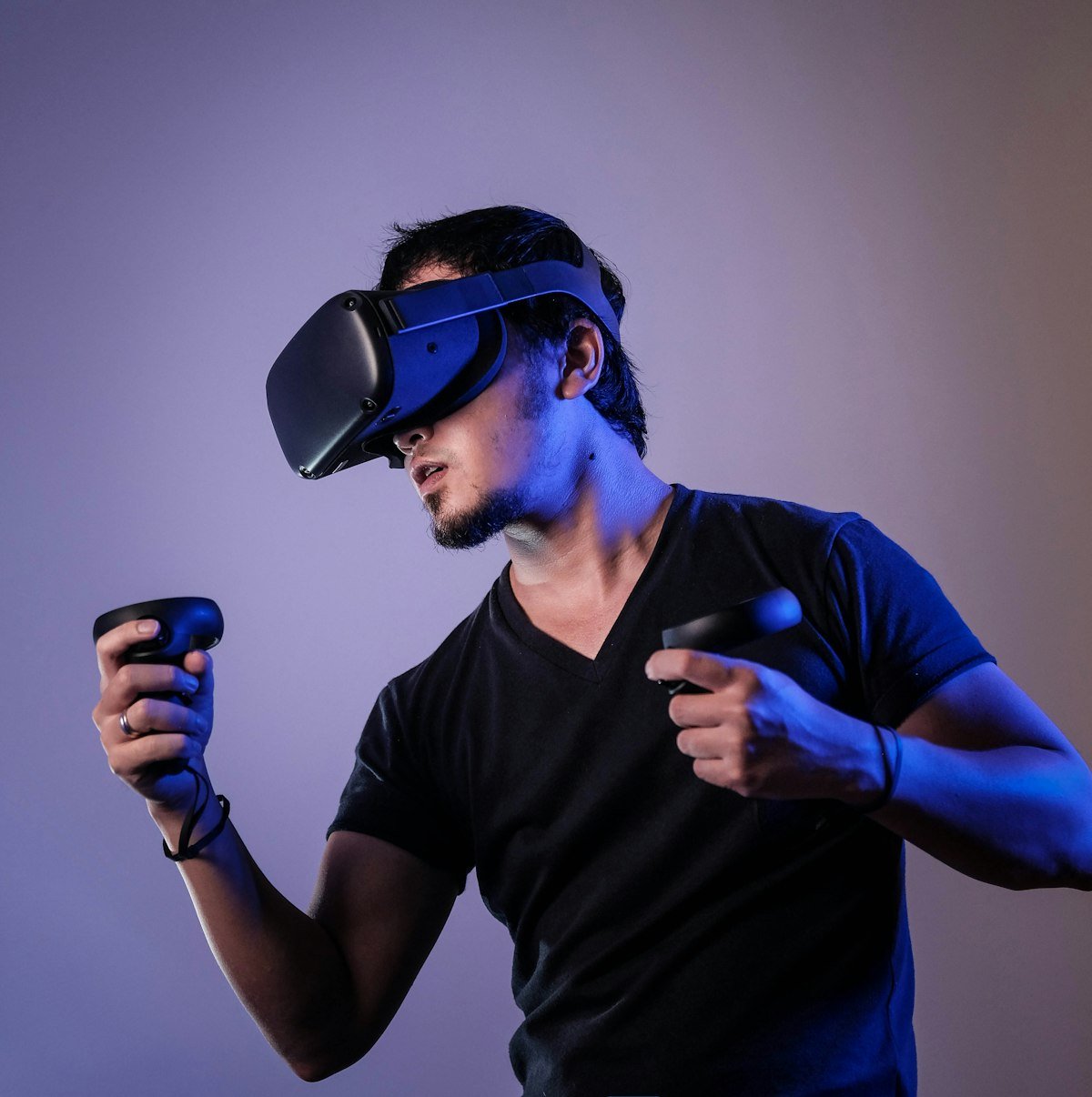
A headset contains two small displays, one for each eye. Together, they create a sense of depth. Lenses focus the image, while cameras and sensors track your head and hands. Controllers, hand tracking, or both let you interact with the virtual world.
Tracking matters more than many beginners expect. Inside-out tracking uses cameras on the headset to follow your position in the room. This is convenient because you do not need extra sensors. A clear play area, good lighting, and enough space help tracking work smoothly. If you move too close to a wall or another person, the headset may warn you to return to a safe area.
Battery life is another practical point. Standalone headsets usually run for a few hours on a charge, depending on the app and screen brightness. Charging between sessions is normal. Comfort also depends on weight balance, head strap design, and whether you wear glasses. Many headsets offer lens spacing adjustments and optional inserts for people who wear glasses.
What people use virtual reality for in 2026
Gaming remains the most popular use. Virtual reality games range from simple puzzles and rhythm games to sports, adventure, and social games. Some people prefer short, active sessions. Others enjoy longer story-based experiences. It helps to start with comfortable, well-reviewed games rather than fast-moving titles that can feel intense for new users.
Fitness is another growing use. Boxing, dance, and workout apps turn movement into a game. They can be fun and motivating, but they are not a replacement for professional health advice. Beginners should start slowly, stay hydrated, and stop if they feel dizzy or tired.
Education and training are becoming more common. Students can explore a museum, practise a science experiment, or visit a historic place without leaving the classroom. Workers can practise safety procedures, equipment handling, or customer service in a controlled virtual setting. These uses are valuable because mistakes in virtual training do not have real-world consequences.
Social virtual reality lets people meet friends, attend events, or watch films together in a shared space. Avatars represent each user, and voice chat makes the experience feel social. As with any online space, privacy settings and respectful behaviour matter. It is wise to use private rooms for family and close friends and to check who can join a public session.
Choosing a headset without overspending
Before buying, think about how you will use the headset. If you mainly want casual games and fitness, a standalone headset is usually enough. If you want highly detailed computer games, check whether the headset supports a computer connection and whether your computer meets the requirements.
Storage is worth checking too. Larger storage holds more games and apps, but many beginners do not need the largest option at first. You can often delete and reinstall apps when you need space. Also check the return policy, warranty, and whether accessories such as a better head strap or carrying case are sold separately.
Comfort is personal. If possible, try a headset before buying, or buy from a seller with a clear return option. Pay attention to weight, strap comfort, eye strain, and how easy it is to adjust. A headset that feels good for ten minutes in a shop may feel different after an hour at home, so take breaks during early sessions.

Comfort, safety, and sensible use
New users should start with short sessions, perhaps 15 to 30 minutes, and take breaks. If you feel motion sickness, eye strain, or dizziness, stop and rest. Many people adjust over time, but not everyone does, and that is normal. Choose slower games first and avoid sudden camera movement until you know what feels comfortable.
Clear your play area before starting. Move fragile objects, keep pets and children at a safe distance, and use the headset boundary system. Sit down if you feel unsteady, and avoid using virtual reality near stairs, balconies, or busy roads. Children should use virtual reality only with adult supervision and age guidance from the headset maker.
Privacy is also important. Headsets may collect movement, voice, and usage data depending on settings. Review privacy controls, limit data sharing where possible, and be careful with payment details stored in a headset account. Use a strong password and turn on two-step sign-in if it is available.
Common mistakes beginners make
One common mistake is buying the most expensive headset before knowing what you enjoy. Another is ignoring comfort and storage. Some beginners also expect every app to be realistic or useful. In practice, quality varies widely. Read recent reviews, check the age rating, and look for apps with clear descriptions and regular updates.
Another mistake is skipping updates and safety settings. Software updates can improve tracking, fix problems, and add features. Take time to set up a comfortable boundary, adjust the lenses, and learn how to exit an app quickly. Knowing how to pause or remove the headset safely makes the first experience much less stressful.
What virtual reality will not do yet
Virtual reality is not a full replacement for real-life work, travel, or social contact. Headsets are still heavier than glasses, battery life is limited, and some people find long sessions uncomfortable. Graphics are improving, but virtual worlds do not yet look exactly like real life. These limits do not make the technology useless, but they do mean it works best as a complement to other tools.
It is also wise to be cautious about claims that virtual reality will change everything overnight. Adoption depends on price, comfort, content, and real usefulness. The most helpful approach is to ask a simple question: does this headset solve a problem or add enjoyment that I actually want? If the answer is unclear, waiting or trying a friend’s headset first may be sensible.
Frequently asked questions
Do I need a computer for virtual reality in 2026?
Not always. Many standalone headsets work without a computer. A computer is only needed for more demanding games or professional apps that require extra processing power.
Is virtual reality safe for beginners?
For most adults, short sessions in a clear space are safe. Take breaks, stop if you feel unwell, and follow the headset maker’s age and safety guidance. Children should only use it with supervision.
How much space do I need?
Many apps work while sitting or standing in a small area. Room-scale games need more space, usually enough to take a few steps in each direction without hitting furniture.
Can I wear glasses with a headset?
Often yes, but comfort varies. Some headsets have space for glasses, while others work better with prescription lens inserts. Check the maker’s guidance before buying.
For related guides, explore What Is the Internet of Things? and How to Make Money Selling Online Courses, or browse the Trending Tech News category and the AliDigitalTech homepage.
Virtual reality in 2026 is most rewarding when you start small, choose a comfortable headset, and use it for games, learning, or fitness that you genuinely enjoy. With sensible expectations, clear space, and regular breaks, beginners can explore this technology without overspending or feeling overwhelmed.
Pingback: What Is Blockchain? A Simple Beginner Guide in 2026 - AliDigitalTech
Pingback: Fitness Apps That Pay: How Rewards Actually Work and What to Expect - AliDigitalTech
Pingback: How Does the Internet Work? A Simple Beginner Guide - AliDigitalTech
Pingback: Augmented Reality in 2026: A Simple Beginner Guide - AliDigitalTech
Pingback: Home Security Technology in 2026: A Simple Beginner Guide - AliDigitalTech
Pingback: Tablets in 2026: A Simple Beginner Guide to Choosing the Right One - AliDigitalTech